# Your app's TON Connect manifest URL
# The demo manifest below works fine for local development
MANIFEST_URL=https://tonconnect-sdk-demo-dapp.vercel.app/tonconnect-manifest.json
```
## Running an app [#running-an-app]
```bash
npm run dev
```
Open [http://localhost:5173](http://localhost:5173) in your browser.
***
## Running as a Telegram Mini App [#running-as-a-telegram-mini-app]
Telegram requires a public HTTPS URL to load a Mini App. During development, use ngrok to tunnel your local dev server.
### 1. Start your dev server [#1-start-your-dev-server]
```bash
npm run dev
```
### 2. In a separate terminal, start ngrok [#2-in-a-separate-terminal-start-ngrok]
```bash
npx ngrok http 5173
```
Copy the `https://` URL ngrok gives you, e.g. `https://abc123.ngrok-free.app`
**3. Create a Telegram bot**
* Open [@BotFather](https://t.me/BotFather) on Telegram
* Send `/newbot` and follow the prompts — pick a name and username
* BotFather gives you a bot token — save it for later
### 4. Set the Mini App URL [#4-set-the-mini-app-url]
* Send `/mybots` to BotFather
* Select your bot → **Bot Settings** → **Menu Button** → **Configure menu button**
* Paste your ngrok URL
### 5. Open the Mini App [#5-open-the-mini-app]
* Open your bot in Telegram
* Tap the **Menu** button (bottom left, next to the message input)
* Your app loads as a Mini App
Your app hot-reloads automatically on code changes — no need to restart ngrok or reconfigure BotFather unless the ngrok URL changes.
> **Note:** Free ngrok generates a new URL every time you restart it. To keep a stable URL during development, keep ngrok running or use a paid plan with a fixed domain.
> **Production:** Deploy to any static host (Vercel, Netlify, Cloudflare Pages) and set that URL in BotFather instead.
***
## Project Structure [#project-structure]
```
ton-appkit-starter/
├── index.html # Entry point — includes Telegram WebApp script
├── vite.config.ts # Vite config with Buffer polyfill and @ alias
├── tsconfig.json # Root TypeScript config with project references
├── tsconfig.app.json # TypeScript config for src/
├── package.json # Dependencies and scripts
├── .env.example # Environment variable template
├── .gitignore # Ignored files — node_modules, .env, dist
├── eslint.config.js # ESLint config
├── README.md # Project documentation
│
└── src/
├── main.tsx # React entry — mounts app
├── App.tsx # Root — AppKit, QueryClient, and provider setup
├── index.css # Telegram design tokens, Tailwind, global styles
├── polyfills.ts # Buffer polyfill required by @ton/core
│
├── components/
│ ├── shared/ # Reusable UI primitives
│ │ ├── Card.tsx # Rounded surface container
│ │ ├── CardRow.tsx # Label/value row with optional divider
│ │ ├── FormField.tsx # Input with error message
│ │ └── SectionTitle.tsx # Section label above cards
│ │
│ ├── telegram/ # Telegram-specific components
│ │ └── TelegramProvider.tsx # SDK init, theme sync, user/colorScheme context
│ │
│ ├── transfer/ # Send flow
│ │ ├── SendTon.tsx # Transfer form using SendTonButton
│ │ └── TransactionStatus.tsx # Success/error toast with Tonscan link
│ │
│ └── wallet/ # Wallet state and display
│ ├── Balance.tsx # TON balance with polling
│ ├── WalletConnect.tsx # Connect/disconnect button
│ └── WalletInfo.tsx # Address, network badge, explorer link
│
├── hooks/
│ └── useIsConnected.ts # Returns true if a wallet is connected
│
├── types/
│ ├── index.ts # Shared TypeScript interfaces
│ └── telegram.d.ts # Global type declarations for window.Telegram.WebApp
│
└── utils/
├── constants.ts # Global constants — network, URLs, intervals
└── ton.ts # Helper functions — formatting, validation, API
```
***
## Components [#components]
### `TelegramProvider` [#telegramprovider]
Initialises the Telegram Mini App SDK and syncs Telegram's theme to CSS variables. Wraps the entire app so any component can access the Telegram context via `useTelegram()`.
* Calls `tg.expand()` to make the app full screen
* Calls `tg.ready()` to hide the native loading indicator
* Listens to `themeChanged` events and updates CSS variables in real time
* Exposes `isTMA`, `colorScheme`, `isReady`, and `user` via context
```tsx
import { useTelegram } from '@/components/TelegramProvider';
const { isTMA, colorScheme, isReady, user } = useTelegram();
// Show Telegram username
Welcome, {user?.first_name ?? 'anon'}
```
***
### `WalletConnect` [#walletconnect]
Connect/disconnect button. Shows a connect button when no wallet is connected, and a connected state with a shortened address and disconnect option when a wallet is connected.
Uses `useTonConnectUI` from `@tonconnect/ui-react` to open the TON Connect modal.
***
### `WalletInfo` [#walletinfo]
Displays wallet details after connection:
* Wallet app name (e.g. Tonkeeper, MyTonWallet)
* Network badge — **Testnet** (yellow) or **Mainnet** (green), read from `wallet.account.chain`
* Full address with tap-to-copy
* Link to the wallet on Tonscan
Only rendered when a wallet is connected.
***
### `Balance` [#balance]
Displays the connected wallet's TON balance. Polls every `BALANCE_POLL_INTERVAL_MS` (10 seconds by default) to keep the value fresh.
* Shows a skeleton loader while fetching
* Shows the balance formatted to 2–4 decimal places
* Shows a retry button on error
Uses `useBalance()` from `@ton/appkit-react`.
***
### `SendTon` [#sendton]
A transfer form with three fields: recipient address, amount (TON), and an optional comment. Uses `SendTonButton` from `@ton/appkit-react` which handles the wallet interaction internally.
* Validates the recipient address format and amount before sending
* Disables the button while a transaction is pending
* Passes success/error results to `TransactionStatus`
Only rendered when a wallet is connected.
***
### `TransactionStatus` [#transactionstatus]
A toast notification shown after a send attempt.
* **Success**: shows "Transaction sent" and polls the TonCenter API every 2 seconds (up to 10 attempts / 20 seconds) until it finds the transaction hash, then shows a direct Tonscan link
* **Error**: shows a human-readable error message (e.g. "Transaction cancelled" instead of the raw SDK error)
* Auto-dismisses after 12 seconds on success, 8 seconds on error
* Can be manually dismissed with the ✕ button
***
## Switching to Mainnet [#switching-to-mainnet]
Change the following values in `src/utils/constants.ts`:
```ts
export const NETWORK = Network.mainnet();
export const TONCENTER_BASE_URL = 'https://toncenter.com';
export const TONSCAN_BASE_URL = 'https://tonscan.org';
```
And update your `.env`:
```bash
TONCENTER_API_KEY=
```
***
## Tech Stack [#tech-stack]
| Package | Purpose |
| ----------------------- | --------------------------------------- |
| `@ton/appkit-react` | AppKit React hooks and components |
| `@tonconnect/ui-react` | TON Connect wallet hooks |
| `@tanstack/react-query` | Data fetching and caching |
| `tailwindcss` | Utility-first CSS |
| `buffer` | Node.js Buffer polyfill for the browser |
***
## Resources [#resources]
* [TON AppKit docs](https://docs.ton.org/ecosystem/appkit/overview)
* [TON Connect manifest](https://docs.ton.org/ecosystem/ton-connect/manifest)
* [TonCenter API](https://docs.ton.org/ecosystem/api/toncenter/introduction)
* [Telegram Mini Apps](https://docs.ton.org/ecosystem/tma)
* [Get a TonCenter API key](https://t.me/toncenter)
---
> For the complete documentation index, see [llms.txt](/llms.txt). A full-text snapshot is also available at [llms-full.txt](/llms-full.txt).
# TON CLI Typescript (/ton/ton-cli-typescript)
[TON CLI Typescript](https://github.com/thisonedev/vault/tree/master/ton-cli-typescript) is an unofficial TypeScript CLI that demonstrates key TON use cases, including wallet creation, balance tracking, asset transfers, and more.
## Prerequisites [#prerequisites]
* Node.js version 22 or later
## Setup [#setup]
### 1. Clone the repository [#1-clone-the-repository]
```
https://github.com/thisonedev/vault.git
```
### 2. Enter ton-cli-typescript directory [#2-enter-ton-cli-typescript-directory]
```
cd ton-cli-typescript
```
### 3. Install dependencies [#3-install-dependencies]
```
npm install
```
### 4. Link CLI globally [#4-link-cli-globally]
```
npm link
```
### 5. Provide environment variables [#5-provide-environment-variables]
This project uses the [@chainlink/env-enc](https://www.npmjs.com/package/@chainlink/env-enc) package to encrypt `.env` variables.
First, set a password for encrypting and decrypting the environment variable file:
```bash
npx env-enc set-pw
```
> Note: you'll need to set a password for each terminal session, but this will not affect or remove your existing variables.
Next, set the required environment variables:
```
TESTNET_API_KEY=
MAINNET_API_KEY=
WALLET_MNEMONIC=
TONAPI_KEY=
```
| Variable | Required | Description |
| ----------------- | -------- | ------------------------------------------------------------------------------------------- |
| `TESTNET_API_KEY` | Yes | Toncenter testnet API key. [Register here](https://testnet.toncenter.com/) |
| `MAINNET_API_KEY` | Yes | Toncenter mainnet API key. [Register here](https://toncenter.com/) |
| `WALLET_MNEMONIC` | No | 24-word wallet mnemonic. Used as default for commands that require signing |
| `TONAPI_KEY` | No | TON API key for enriched data (events, jettons, NFTs). Requests are rate-limited without it |
To set these variables, run:
```bash
npx env-enc set
```
The `.env.enc` file will be generated automatically. To validate your inputs:
```bash
npx env-enc view
```
***
## Usage [#usage]
```bash
ton-cli [args]
```
***
## Commands [#commands]
* [create-wallet](#create-wallet)
* [initialize-wallet](#initialize-wallet)
* [send-ton](#send-ton)
* [get-wallet-info](#get-wallet-info)
* [get-wallet-assets](#get-wallet-assets)
* [get-transaction](#get-transaction)
* [get-tx-history](#get-tx-history)
* [get-jetton-info](#get-jetton-info)
***
## create-wallet [#create-wallet]
Generates a new TON wallet keypair and mnemonic. Does not deploy anything on-chain.
```bash
ton-cli create-wallet --network
```
| Flag | Type | Required | Default | Description |
| --------- | ---------------------- | -------- | --------- | ------------------------------------------ |
| `network` | `testnet` \| `mainnet` | No | `testnet` | Network to generate the wallet address for |
After your wallet is created, store the mnemonic in a safe place and add it to `.env.enc` using `npx env-enc set`.
Example output
```
Generating new TON wallet on testnet...
=== NEW TON WALLET CREATED ===
────────────────────────────────────────────────────────────
Network : testnet
Address : 0QDklMt_wtJATm1lc5e2ro0vFalpcodx_0NCKcIovjFsnQVX
Bounceable : kQDklMt_wtJATm1lc5e2ro0vFalpcodx_0NCKcIovjFsnViS
Public Key : 392e498f5864de36c821b8881045bd583d2cb749cf69da2429e1cffa5d738e95
Private Key : dd812567ea642b7ba7bc438ba136bd3f5f2160965a7df805f87d3d4c13f4eb76392e498f5864de36c821b8881045bd583d2cb749cf69da2429e1cffa5d738e95
Mnemonic :
hope roof wagon ability sell force cruel valley dizzy spider impulse fame another wheat menu dinner armed because labor mask fly bike mutual book
⚠️ Save your mnemonic — it cannot be recovered!
Explorer : https://testnet.tonviewer.com/0QDklMt_wtJATm1lc5e2ro0vFalpcodx_0NCKcIovjFsnQVX
```
***
## initialize-wallet [#initialize-wallet]
Initializes the wallet by deploying the wallet smart contract on-chain and making a self-transfer with `stateInit`.
> TON is an account-based blockchain, but unlike Ethereum, accounts do not exist on-chain until a smart contract is deployed to that address.
```bash
ton-cli initialize-wallet --network --mnemonic ""
```
| Flag | Type | Required | Default | Description |
| ---------- | ---------------------- | -------- | ------------------------- | ---------------------------------------------------------------------------------------------------------- |
| `network` | `testnet` \| `mainnet` | No | `testnet` | Network to initialize the wallet on |
| `mnemonic` | `string` | No | `WALLET_MNEMONIC` env var | 24-word wallet mnemonic. Prefer the env var — passing this flag exposes the mnemonic in your shell history |
To fund your testnet wallet before initializing, use one of these faucets:
* [Test Giver bot](https://t.me/testgiver_ton_bot)
* [Chainstack faucet](https://faucet.chainstack.com/ton-testnet-faucet)
Example output
```
Network : testnet
Address : 0QDklMt_wtJATm1lc5e2ro0vFalpcodx_0NCKcIovjFsnQVX
Bounceable : kQDklMt_wtJATm1lc5e2ro0vFalpcodx_0NCKcIovjFsnViS
Explorer : https://testnet.tonviewer.com/0QDklMt_wtJATm1lc5e2ro0vFalpcodx_0NCKcIovjFsnQVX
Balance : 2.0000 TON
Initializing...
Confirming.
✅ Wallet initialized! Seqno: 1
```
***
## send-ton [#send-ton]
Sends TON coins to any address with an optional text comment.
```bash
ton-cli send-ton --to --amount --network --comment --mnemonic ""
```
| Flag | Type | Required | Default | Description |
| ---------- | ---------------------- | -------- | ------------------------- | ------------------------------------------------------------------------------------------------------------- |
| `to` | `string` | Yes | — | Destination TON address |
| `amount` | `number` | Yes | — | Amount to send in TON, e.g. `0.5` |
| `network` | `testnet` \| `mainnet` | No | `testnet` | Network to broadcast the transaction on |
| `comment` | `string` | No | — | Optional text memo attached to the transfer |
| `mnemonic` | `string` | No | `WALLET_MNEMONIC` env var | 24-word wallet mnemonic. ⚠️ Prefer the env var — passing this flag exposes the mnemonic in your shell history |
Example output
```
Sending TON on testnet...
────────────────────────────────────────────────────────────
From : 0QDklMt_wtJATm1lc5e2ro0vFalpcodx_0NCKcIovjFsnQVX
To : 0QARNjsmX66SBIdYS6_z7tyS1xkam-h1BLr7GtRlO6RkKMF7
Amount : 0.0011 TON
────────────────────────────────────────────────────────────
Waiting for confirmation.
✅ Sent 0.0011 TON to 0QARNjsmX66SBIdYS6_z7tyS1xkam-h1BLr7GtRlO6RkKMF7
Explorer : https://testnet.tonviewer.com/transaction/052700fd67cd972d53b1bf39e4033cae0023241e89a46c248c9564d15c7e806a
```
***
## get-wallet-info [#get-wallet-info]
Displays balance, status, and last transaction details for any TON address.
```bash
ton-cli get-wallet-info --address --network
```
| Flag | Type | Required | Default | Description |
| --------- | ---------------------- | -------- | --------- | ---------------------- |
| `address` | `string` | Yes | — | TON address to look up |
| `network` | `testnet` \| `mainnet` | No | `testnet` | Network to query |
Example output
```
Wallet Info
────────────────────────────────────────────────────────────
Network : testnet
Status : active
Balance : 1.9897 TON
Address : 0QDklMt_wtJATm1lc5e2ro0vFalpcodx_0NCKcIovjFsnQVX
Bounceable : kQDklMt_wtJATm1lc5e2ro0vFalpcodx_0NCKcIovjFsnViS
Last Tx Hash: BScA/WfNly1Tsb855AM8rgAjJB6JpGwkjJVk0Vx+gGo=
Last Tx Lt : 54367726000001
Explorer : https://testnet.tonviewer.com/0QDklMt_wtJATm1lc5e2ro0vFalpcodx_0NCKcIovjFsnQVX
────────────────────────────────────────────────────────────
```
***
## get-wallet-assets [#get-wallet-assets]
Lists all jettons and NFTs held by a TON address.
```bash
ton-cli get-wallet-assets --address --network --limit --jettons-limit --nft-limit
```
| Flag | Type | Required | Default | Description |
| --------------- | ---------------------- | -------- | ------------------ | ------------------------------------------------------ |
| `address` | `string` | Yes | — | TON address to look up |
| `network` | `testnet` \| `mainnet` | No | `testnet` | Network to query |
| `limit` | `number` | No | `10` | Max results for both jettons and NFTs. Capped at `100` |
| `jettons-limit` | `number` | No | value of `--limit` | Override max number of jettons to display |
| `nft-limit` | `number` | No | value of `--limit` | Override max number of NFTs to display |
Example output
```
Wallet Assets — UQBmzW4wYlFW0tiBgj5sP1CgSlLdYs-VpjPWM7oPYPYWQBqW
Network: mainnet
── Jettons ─────────────────────────────────────────────────
DONT 12345.00 DONKEY TON
Minter : EQBh0GTe1QrRDfBb3zF_5131ykR64T0y9aIy2LygDt0iWUNx
Link : https://tonviewer.com/EQBh0GTe1QrRDfBb3zF_5131ykR64T0y9aIy2LygDt0iWUNx
ATF 30.00 AI Trading Forex
Minter : EQANcW45W0Tp91bzvHayaPO6-6hf1Lm4XlWZ4rN6L5ofPWdb
Link : https://tonviewer.com/EQANcW45W0Tp91bzvHayaPO6-6hf1Lm4XlWZ4rN6L5ofPWdb
... and 107 more
── NFTs ────────────────────────────────────────────────────
BTC Monkey #0095
Collection : Mining $VWS
Address : EQClp9ttASdPf_Sg0VruuEVLZXJTkwbmcUDxZOyiEa8Ezz9a
... and 88 more
────────────────────────────────────────────────────────────
```
***
## get-transaction [#get-transaction]
Fetches full details for a single transaction by its hash, including inbound and outbound messages.
```bash
ton-cli get-transaction --hash --network
```
| Flag | Type | Required | Default | Description |
| --------- | ---------------------- | -------- | --------- | --------------------- |
| `hash` | `string` | Yes | — | Full transaction hash |
| `network` | `testnet` \| `mainnet` | No | `testnet` | Network to query |
Example output
```
Transaction 052700fd67cd972d53b1bf39e4033cae0023241e89a46c248c9564d15c7e806a
────────────────────────────────────────────────────────────
Time : 2026-03-10 04:56:02
Status : ✅ Success
Account : 0QDklMt_wtJATm1lc5e2ro0vFalpcodx_0NCKcIovjFsnQVX
Fees : 0.002808 TON
← In : from external op=1936287598
Body : {"wallet_id":2147483645,"valid_until":1773118622,"seqno":1,...}
→ Out : -0.0011 TON to 0QARNjsmX66SBIdYS6_z7tyS1xkam-h1BLr7GtRlO6RkKMF7
────────────────────────────────────────────────────────────
Link : https://testnet.tonviewer.com/transaction/052700fd67cd972d53b1bf39e4033cae0023241e89a46c248c9564d15c7e806a
```
***
## get-tx-history [#get-tx-history]
Shows recent transactions for any TON address, with action-level breakdown for each event.
```bash
ton-cli get-tx-history --address --limit --network
```
| Flag | Type | Required | Default | Description |
| --------- | ---------------------- | -------- | --------- | ------------------------------------------------ |
| `address` | `string` | Yes | — | TON address to look up |
| `network` | `testnet` \| `mainnet` | No | `testnet` | Network to query |
| `limit` | `number` | No | `10` | Number of transactions to fetch. Capped at `100` |
Example output
```
Transactions for 0QARNjsmX66SBIdYS6_z7tyS1xkam-h1BLr7GtRlO6RkKMF7
Network: testnet | Showing last 5
────────────────────────────────────────────────────────────
🕐 2026-03-08 02:31:59
Status : ✅ Success
Event : d1f62514b12fd5b88e537e60b2089a2c9af63a9b1a86ce421eda2f675a46bba8
✅ TON Transfer 4.4000 TON
From : 0QAnWvFxPJpl4k_4VSmsGYCTZqP1IcQC547UYsNorrq8OToZ
To : 0QARNjsmX66SBIdYS6_z7tyS1xkam-h1BLr7GtRlO6RkKMF7
Net : 0.000310278 TON spent
Link : https://testnet.tonviewer.com/transaction/d1f62514b12fd5b88e537e60b2089a2c9af63a9b1a86ce421eda2f675a46bba8
────────────────────────────────────────────────────────────
🕐 2026-03-07 14:26:25
Status : ❌ Failed
Event : 52172c31c32c5a0b1b87542b549f30894993fc47ed9328c8e9a87e48dcfc5edb
❌ Failed Contract Call op=0x00000003 0.0500 TON
From : 0QARNjsmX66SBIdYS6_z7tyS1xkam-h1BLr7GtRlO6RkKMF7
To : 0QDIns5_fS6-WFWL4G5N_7UX8bI1e_hWcA3pSDjhuUYYHPP-
Net : 0.052636402 TON spent
Link : https://testnet.tonviewer.com/transaction/52172c31c32c5a0b1b87542b549f30894993fc47ed9328c8e9a87e48dcfc5edb
────────────────────────────────────────────────────────────
```
***
## get-jetton-info [#get-jetton-info]
Returns jetton metadata and supply, or all jettons owned by a given address.
```bash
ton-cli get-jetton-info --address --network
```
| Flag | Type | Required | Default | Description |
| --------- | ---------------------- | -------- | --------- | --------------------------------------------------------------------------------- |
| `address` | `string` | Yes | — | Jetton minter address for token info, or any wallet address to list owned jettons |
| `network` | `testnet` \| `mainnet` | No | `testnet` | Network to query |
Example output — jetton info by minter address
```
Jetton Info
────────────────────────────────────────────────────────────
Name : Notcoin
Symbol : NOT
Decimals : 9
Supply : 102,452,755,868.521 NOT
Mintable : Yes
Admin : renounced
Minter : EQAvlWFDxGF2lXm67y4yzC17wYKD9A0guwPkMs1gOsM__NOT
Image : https://cdn.joincommunity.xyz/clicker/not_logo.png
Holders : 2,846,667
────────────────────────────────────────────────────────────
Explorer : https://tonviewer.com/EQAvlWFDxGF2lXm67y4yzC17wYKD9A0guwPkMs1gOsM__NOT
```
Example output — jettons owned by wallet address
```
Jettons owned by UQBmzW4wYlFW0tiBgj5sP1CgSlLdYs-VpjPWM7oPYPYWQBqW
────────────────────────────────────────────────────────────
DONT 12,345 DONKEY TON
Minter : EQBh0GTe1QrRDfBb3zF_5131ykR64T0y9aIy2LygDt0iWUNx
Link : https://tonviewer.com/EQBh0GTe1QrRDfBb3zF_5131ykR64T0y9aIy2LygDt0iWUNx
ATF 30 AI Trading Forex
Minter : EQANcW45W0Tp91bzvHayaPO6-6hf1Lm4XlWZ4rN6L5ofPWdb
Link : https://tonviewer.com/EQANcW45W0Tp91bzvHayaPO6-6hf1Lm4XlWZ4rN6L5ofPWdb
────────────────────────────────────────────────────────────
```
---
> For the complete documentation index, see [llms.txt](/llms.txt). A full-text snapshot is also available at [llms-full.txt](/llms-full.txt).
# Retrieve mids for all coins (/api/retrieveMidsForAllCoins)
---
> For the complete documentation index, see [llms.txt](/llms.txt). A full-text snapshot is also available at [llms-full.txt](/llms-full.txt).
# Retrieve a user's open orders (/api/retrieveUsersOpenOrders)
---
> For the complete documentation index, see [llms.txt](/llms.txt). A full-text snapshot is also available at [llms-full.txt](/llms-full.txt).
# Retrieve a user's open orders with additional frontend info (/api/retrieveUsersOpenOrdersWithFrontendInfo)
---
> For the complete documentation index, see [llms.txt](/llms.txt). A full-text snapshot is also available at [llms-full.txt](/llms-full.txt).
# Retrieve a user's fills (/api/retrieveUsersFills)
---
> For the complete documentation index, see [llms.txt](/llms.txt). A full-text snapshot is also available at [llms-full.txt](/llms-full.txt).
# Retrieve a user's fills by time (/api/retrieveUsersFillsByTime)
---
> For the complete documentation index, see [llms.txt](/llms.txt). A full-text snapshot is also available at [llms-full.txt](/llms-full.txt).
# Query user rate limits (/api/queryUserRateLimits)
---
> For the complete documentation index, see [llms.txt](/llms.txt). A full-text snapshot is also available at [llms-full.txt](/llms-full.txt).
# Query order status by oid or cloid (/api/queryOrderStatusByOidOrCloid)
---
> For the complete documentation index, see [llms.txt](/llms.txt). A full-text snapshot is also available at [llms-full.txt](/llms-full.txt).
# L2 book snapshot (/api/l2BookSnapshot)
---
> For the complete documentation index, see [llms.txt](/llms.txt). A full-text snapshot is also available at [llms-full.txt](/llms-full.txt).
# Candle snapshot (/api/candleSnapshot)
---
> For the complete documentation index, see [llms.txt](/llms.txt). A full-text snapshot is also available at [llms-full.txt](/llms-full.txt).
# Check builder fee approval (/api/checkBuilderFeeApproval)
---
> For the complete documentation index, see [llms.txt](/llms.txt). A full-text snapshot is also available at [llms-full.txt](/llms-full.txt).
# Retrieve a user's historical orders (/api/retrieveUsersHistoricalOrders)
---
> For the complete documentation index, see [llms.txt](/llms.txt). A full-text snapshot is also available at [llms-full.txt](/llms-full.txt).
# Retrieve a user's TWAP slice fills (/api/retrieveUsersTwapSliceFills)
---
> For the complete documentation index, see [llms.txt](/llms.txt). A full-text snapshot is also available at [llms-full.txt](/llms-full.txt).
# Retrieve a user's subaccounts (/api/retrieveUsersSubaccounts)
---
> For the complete documentation index, see [llms.txt](/llms.txt). A full-text snapshot is also available at [llms-full.txt](/llms-full.txt).
# Retrieve details for a vault (/api/retrieveDetailsForAVault)
---
> For the complete documentation index, see [llms.txt](/llms.txt). A full-text snapshot is also available at [llms-full.txt](/llms-full.txt).
# Retrieve a user's vault deposits (/api/retrieveUsersVaultDeposits)
---
> For the complete documentation index, see [llms.txt](/llms.txt). A full-text snapshot is also available at [llms-full.txt](/llms-full.txt).
# Query a user's role (/api/queryUsersRole)
---
> For the complete documentation index, see [llms.txt](/llms.txt). A full-text snapshot is also available at [llms-full.txt](/llms-full.txt).
# Query a user's portfolio (/api/queryUsersPortfolio)
---
> For the complete documentation index, see [llms.txt](/llms.txt). A full-text snapshot is also available at [llms-full.txt](/llms-full.txt).
# Query a user's referral information (/api/queryUsersReferralInformation)
---
> For the complete documentation index, see [llms.txt](/llms.txt). A full-text snapshot is also available at [llms-full.txt](/llms-full.txt).
# Query a user's fees (/api/queryUsersFees)
---
> For the complete documentation index, see [llms.txt](/llms.txt). A full-text snapshot is also available at [llms-full.txt](/llms-full.txt).
# Query a user's staking delegations (/api/queryUsersStakingDelegations)
---
> For the complete documentation index, see [llms.txt](/llms.txt). A full-text snapshot is also available at [llms-full.txt](/llms-full.txt).
# Query a user's staking summary (/api/queryUsersStakingSummary)
---
> For the complete documentation index, see [llms.txt](/llms.txt). A full-text snapshot is also available at [llms-full.txt](/llms-full.txt).
# Query a user's staking history (/api/queryUsersStakingHistory)
---
> For the complete documentation index, see [llms.txt](/llms.txt). A full-text snapshot is also available at [llms-full.txt](/llms-full.txt).
# Query a user's staking rewards (/api/queryUsersStakingRewards)
---
> For the complete documentation index, see [llms.txt](/llms.txt). A full-text snapshot is also available at [llms-full.txt](/llms-full.txt).
# Query a user's HIP-3 DEX abstraction state (/api/queryUsersHip3DexAbstractionState)
---
> For the complete documentation index, see [llms.txt](/llms.txt). A full-text snapshot is also available at [llms-full.txt](/llms-full.txt).
# Query a user's abstraction state (/api/queryUsersAbstractionState)
---
> For the complete documentation index, see [llms.txt](/llms.txt). A full-text snapshot is also available at [llms-full.txt](/llms-full.txt).
# Query aligned quote token status (/api/queryAlignedQuoteTokenStatus)
---
> For the complete documentation index, see [llms.txt](/llms.txt). A full-text snapshot is also available at [llms-full.txt](/llms-full.txt).
# Query borrow/lend user state (/api/queryBorrowLendUserState)
---
> For the complete documentation index, see [llms.txt](/llms.txt). A full-text snapshot is also available at [llms-full.txt](/llms-full.txt).
# Query borrow/lend reserve state (/api/queryBorrowLendReserveState)
---
> For the complete documentation index, see [llms.txt](/llms.txt). A full-text snapshot is also available at [llms-full.txt](/llms-full.txt).
# Query all borrow/lend reserve states (/api/queryAllBorrowLendReserveStates)
---
> For the complete documentation index, see [llms.txt](/llms.txt). A full-text snapshot is also available at [llms-full.txt](/llms-full.txt).
# Query approved builders for user (/api/queryApprovedBuildersForUser)
---
> For the complete documentation index, see [llms.txt](/llms.txt). A full-text snapshot is also available at [llms-full.txt](/llms-full.txt).
# Retrieve spot metadata (/api/retrieveSpotMetadata)
---
> For the complete documentation index, see [llms.txt](/llms.txt). A full-text snapshot is also available at [llms-full.txt](/llms-full.txt).
# Retrieve spot asset contexts (/api/retrieveSpotAssetContexts)
---
> For the complete documentation index, see [llms.txt](/llms.txt). A full-text snapshot is also available at [llms-full.txt](/llms-full.txt).
# Retrieve a user's token balances (/api/retrieveUserTokenBalances)
---
> For the complete documentation index, see [llms.txt](/llms.txt). A full-text snapshot is also available at [llms-full.txt](/llms-full.txt).
# Retrieve information about the Spot Deploy Auction (/api/retrieveSpotDeployAuction)
---
> For the complete documentation index, see [llms.txt](/llms.txt). A full-text snapshot is also available at [llms-full.txt](/llms-full.txt).
# Retrieve information about the Spot Pair Deploy Auction (/api/retrieveSpotPairDeployAuction)
---
> For the complete documentation index, see [llms.txt](/llms.txt). A full-text snapshot is also available at [llms-full.txt](/llms-full.txt).
# Retrieve information about a token (/api/retrieveTokenDetails)
---
> For the complete documentation index, see [llms.txt](/llms.txt). A full-text snapshot is also available at [llms-full.txt](/llms-full.txt).
# Retrieve outcome metadata (testnet-only) (/api/retrieveOutcomeMeta)
---
> For the complete documentation index, see [llms.txt](/llms.txt). A full-text snapshot is also available at [llms-full.txt](/llms-full.txt).
# Place an order (/api/placeOrder)
---
> For the complete documentation index, see [llms.txt](/llms.txt). A full-text snapshot is also available at [llms-full.txt](/llms-full.txt).
# Cancel order(s) (/api/cancelOrders)
---
> For the complete documentation index, see [llms.txt](/llms.txt). A full-text snapshot is also available at [llms-full.txt](/llms-full.txt).
# Cancel order(s) by cloid (/api/cancelOrdersByCloid)
---
> For the complete documentation index, see [llms.txt](/llms.txt). A full-text snapshot is also available at [llms-full.txt](/llms-full.txt).
# Schedule cancel (dead man's switch) (/api/scheduleCancel)
---
> For the complete documentation index, see [llms.txt](/llms.txt). A full-text snapshot is also available at [llms-full.txt](/llms-full.txt).
# Modify an order (/api/modifyOrder)
---
> For the complete documentation index, see [llms.txt](/llms.txt). A full-text snapshot is also available at [llms-full.txt](/llms-full.txt).
# Modify multiple orders (/api/modifyMultipleOrders)
---
> For the complete documentation index, see [llms.txt](/llms.txt). A full-text snapshot is also available at [llms-full.txt](/llms-full.txt).
# Place a TWAP order (/api/placeTwapOrder)
---
> For the complete documentation index, see [llms.txt](/llms.txt). A full-text snapshot is also available at [llms-full.txt](/llms-full.txt).
# Cancel a TWAP order (/api/cancelTwapOrder)
---
> For the complete documentation index, see [llms.txt](/llms.txt). A full-text snapshot is also available at [llms-full.txt](/llms-full.txt).
# Update leverage (/api/updateLeverage)
---
> For the complete documentation index, see [llms.txt](/llms.txt). A full-text snapshot is also available at [llms-full.txt](/llms-full.txt).
# Update isolated margin (/api/updateIsolatedMargin)
---
> For the complete documentation index, see [llms.txt](/llms.txt). A full-text snapshot is also available at [llms-full.txt](/llms-full.txt).
# Core USDC transfer (/api/coreUsdcTransfer)
---
> For the complete documentation index, see [llms.txt](/llms.txt). A full-text snapshot is also available at [llms-full.txt](/llms-full.txt).
# Core spot transfer (/api/coreSpotTransfer)
---
> For the complete documentation index, see [llms.txt](/llms.txt). A full-text snapshot is also available at [llms-full.txt](/llms-full.txt).
# Initiate a withdrawal request (/api/initiateWithdrawal)
---
> For the complete documentation index, see [llms.txt](/llms.txt). A full-text snapshot is also available at [llms-full.txt](/llms-full.txt).
# Transfer from Spot account to Perp account (and vice versa) (/api/transferSpotToPerp)
---
> For the complete documentation index, see [llms.txt](/llms.txt). A full-text snapshot is also available at [llms-full.txt](/llms-full.txt).
# Send Asset (/api/sendAsset)
---
> For the complete documentation index, see [llms.txt](/llms.txt). A full-text snapshot is also available at [llms-full.txt](/llms-full.txt).
# Send to EVM with data (/api/sendToEvmWithData)
---
> For the complete documentation index, see [llms.txt](/llms.txt). A full-text snapshot is also available at [llms-full.txt](/llms-full.txt).
# Deposit into staking (/api/depositIntoStaking)
---
> For the complete documentation index, see [llms.txt](/llms.txt). A full-text snapshot is also available at [llms-full.txt](/llms-full.txt).
# Withdraw from staking (/api/withdrawFromStaking)
---
> For the complete documentation index, see [llms.txt](/llms.txt). A full-text snapshot is also available at [llms-full.txt](/llms-full.txt).
# Delegate or undelegate stake from validator (/api/delegateStake)
---
> For the complete documentation index, see [llms.txt](/llms.txt). A full-text snapshot is also available at [llms-full.txt](/llms-full.txt).
# Claim rewards (/api/claimRewards)
---
> For the complete documentation index, see [llms.txt](/llms.txt). A full-text snapshot is also available at [llms-full.txt](/llms-full.txt).
# Deposit or withdraw from a vault (/api/vaultTransfer)
---
> For the complete documentation index, see [llms.txt](/llms.txt). A full-text snapshot is also available at [llms-full.txt](/llms-full.txt).
# Approve an API wallet (/api/approveApiWallet)
---
> For the complete documentation index, see [llms.txt](/llms.txt). A full-text snapshot is also available at [llms-full.txt](/llms-full.txt).
# Approve a builder fee (/api/approveBuilderFee)
---
> For the complete documentation index, see [llms.txt](/llms.txt). A full-text snapshot is also available at [llms-full.txt](/llms-full.txt).
# Reserve Additional Actions (/api/reserveRequestWeight)
---
> For the complete documentation index, see [llms.txt](/llms.txt). A full-text snapshot is also available at [llms-full.txt](/llms-full.txt).
# Invalidate Pending Nonce (noop) (/api/invalidatePendingNonce)
---
> For the complete documentation index, see [llms.txt](/llms.txt). A full-text snapshot is also available at [llms-full.txt](/llms-full.txt).
# Set User Abstraction (/api/setUserAbstraction)
---
> For the complete documentation index, see [llms.txt](/llms.txt). A full-text snapshot is also available at [llms-full.txt](/llms-full.txt).
# Set User Abstraction (agent) (/api/setAgentAbstraction)
---
> For the complete documentation index, see [llms.txt](/llms.txt). A full-text snapshot is also available at [llms-full.txt](/llms-full.txt).
# Enable HIP-3 DEX abstraction (/api/enableUserDexAbstraction)
---
> For the complete documentation index, see [llms.txt](/llms.txt). A full-text snapshot is also available at [llms-full.txt](/llms-full.txt).
# Enable HIP-3 DEX abstraction (agent) (/api/enableAgentDexAbstraction)
---
> For the complete documentation index, see [llms.txt](/llms.txt). A full-text snapshot is also available at [llms-full.txt](/llms-full.txt).
# Validator vote on risk-free rate for aligned quote asset (/api/validatorVoteRiskFreeRate)
---
> For the complete documentation index, see [llms.txt](/llms.txt). A full-text snapshot is also available at [llms-full.txt](/llms-full.txt).
# Provide alarms related to system memory, CPU, and storage usage, as well as application-specific alarms (/api/alarm_get)
---
> For the complete documentation index, see [llms.txt](/llms.txt). A full-text snapshot is also available at [llms-full.txt](/llms-full.txt).
# Provide configuration values (/api/configuration_get)
---
> For the complete documentation index, see [llms.txt](/llms.txt). A full-text snapshot is also available at [llms-full.txt](/llms-full.txt).
# Return the balance of each currency for the given account address (/api/account_get_balance)
---
> For the complete documentation index, see [llms.txt](/llms.txt). A full-text snapshot is also available at [llms-full.txt](/llms-full.txt).
# Get all utxos belonging to the given address (/api/account_get_utxos)
---
> For the complete documentation index, see [llms.txt](/llms.txt). A full-text snapshot is also available at [llms-full.txt](/llms-full.txt).
# Get a list of transactions for the given account address (/api/account_get_transactions)
---
> For the complete documentation index, see [llms.txt](/llms.txt). A full-text snapshot is also available at [llms-full.txt](/llms-full.txt).
# Retrieve a specific block from the child chain using the hash that was published on the root chain (/api/block_get)
---
> For the complete documentation index, see [llms.txt](/llms.txt). A full-text snapshot is also available at [llms-full.txt](/llms-full.txt).
# Get all blocks (can be limited with various filters) (/api/block_all)
---
> For the complete documentation index, see [llms.txt](/llms.txt). A full-text snapshot is also available at [llms-full.txt](/llms-full.txt).
# Get a paginated list of deposits for the given address (/api/deposit_all)
---
> For the complete documentation index, see [llms.txt](/llms.txt). A full-text snapshot is also available at [llms-full.txt](/llms-full.txt).
# Get all transactions (can be limited with various filters) (/api/transactions_all)
---
> For the complete documentation index, see [llms.txt](/llms.txt). A full-text snapshot is also available at [llms-full.txt](/llms-full.txt).
# Find an optimal way to construct a transaction that spends a specific amount (/api/createTransaction)
---
> For the complete documentation index, see [llms.txt](/llms.txt). A full-text snapshot is also available at [llms-full.txt](/llms-full.txt).
# Get a transaction with the given ID (/api/transaction_get)
---
> For the complete documentation index, see [llms.txt](/llms.txt). A full-text snapshot is also available at [llms-full.txt](/llms-full.txt).
# Send an EIP-712-formatted transaction to the child chain (/api/submit_typed)
---
> For the complete documentation index, see [llms.txt](/llms.txt). A full-text snapshot is also available at [llms-full.txt](/llms-full.txt).
# Retrieve the list of fee tokens currently supported by the child chain, along with the current amount needed to perform a transaction (/api/fees_all)
---
> For the complete documentation index, see [llms.txt](/llms.txt). A full-text snapshot is also available at [llms-full.txt](/llms-full.txt).
# Retrieve network statistics (/api/stats_get)
---
> For the complete documentation index, see [llms.txt](/llms.txt). A full-text snapshot is also available at [llms-full.txt](/llms-full.txt).
# Send a transaction to the child chain (/api/submit)
---
> For the complete documentation index, see [llms.txt](/llms.txt). A full-text snapshot is also available at [llms-full.txt](/llms-full.txt).
# Return information about the current state of the child chain and the watcher (/api/status_get)
---
> For the complete documentation index, see [llms.txt](/llms.txt). A full-text snapshot is also available at [llms-full.txt](/llms-full.txt).
# Get all utxos belonging to the given address (/api/account_get_exitable_utxos)
---
> For the complete documentation index, see [llms.txt](/llms.txt). A full-text snapshot is also available at [llms-full.txt](/llms-full.txt).
# Get challenge data for a given utxo exit (/api/utxo_get_challenge_data)
---
> For the complete documentation index, see [llms.txt](/llms.txt). A full-text snapshot is also available at [llms-full.txt](/llms-full.txt).
# Get exit data for a given utxo (/api/utxo_get_exit_data)
---
> For the complete documentation index, see [llms.txt](/llms.txt). A full-text snapshot is also available at [llms-full.txt](/llms-full.txt).
# Get exit data for an in-flight exit (/api/in_flight_exit_get_data)
---
> For the complete documentation index, see [llms.txt](/llms.txt). A full-text snapshot is also available at [llms-full.txt](/llms-full.txt).
# Return a competitor to an in-flight exit (/api/in_flight_exit_get_competitor)
---
> For the complete documentation index, see [llms.txt](/llms.txt). A full-text snapshot is also available at [llms-full.txt](/llms-full.txt).
# Prove that a transaction is canonical (/api/in_flight_exit_prove_canonical)
---
> For the complete documentation index, see [llms.txt](/llms.txt). A full-text snapshot is also available at [llms-full.txt](/llms-full.txt).
# Get the data to challenge an invalid input piggybacked on an in-flight exit (/api/in_flight_exit_get_input_challenge_data)
---
> For the complete documentation index, see [llms.txt](/llms.txt). A full-text snapshot is also available at [llms-full.txt](/llms-full.txt).
# Get the data to challenge an invalid output piggybacked on an in-flight exit (/api/in_flight_exit_get_output_challenge_data) OMG Network Case Study
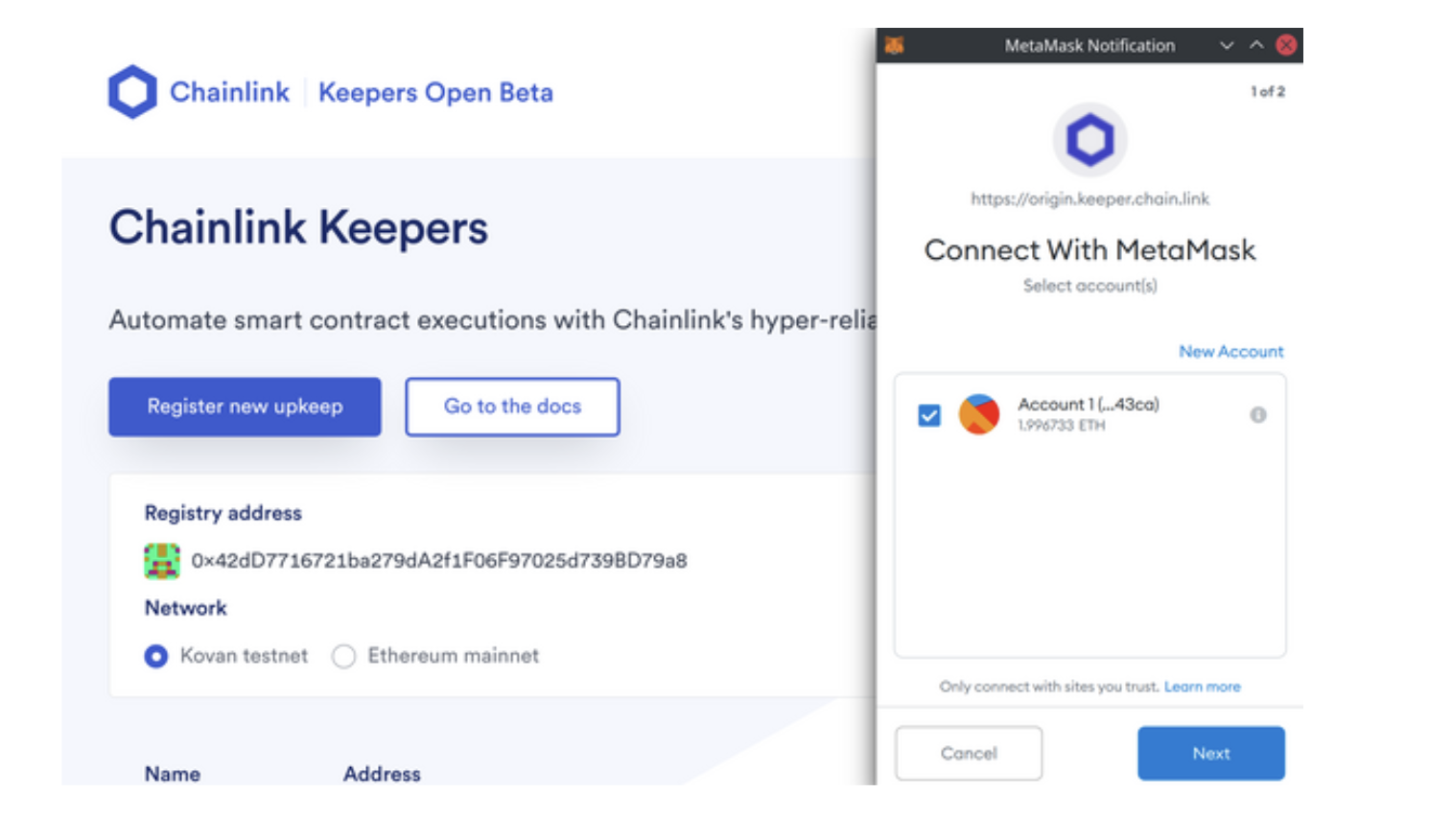 Chainlink Case Study
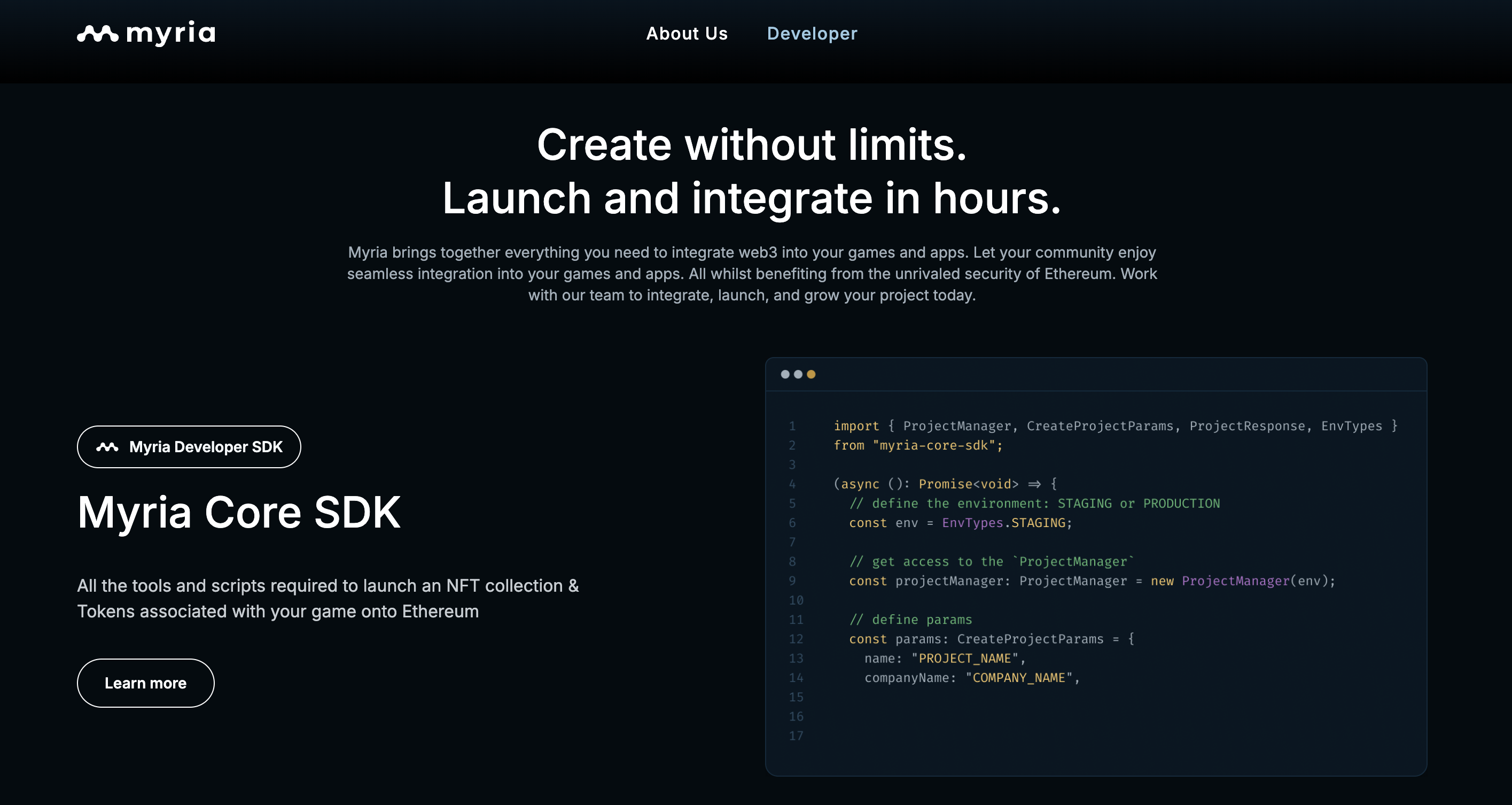 Myria Case Study
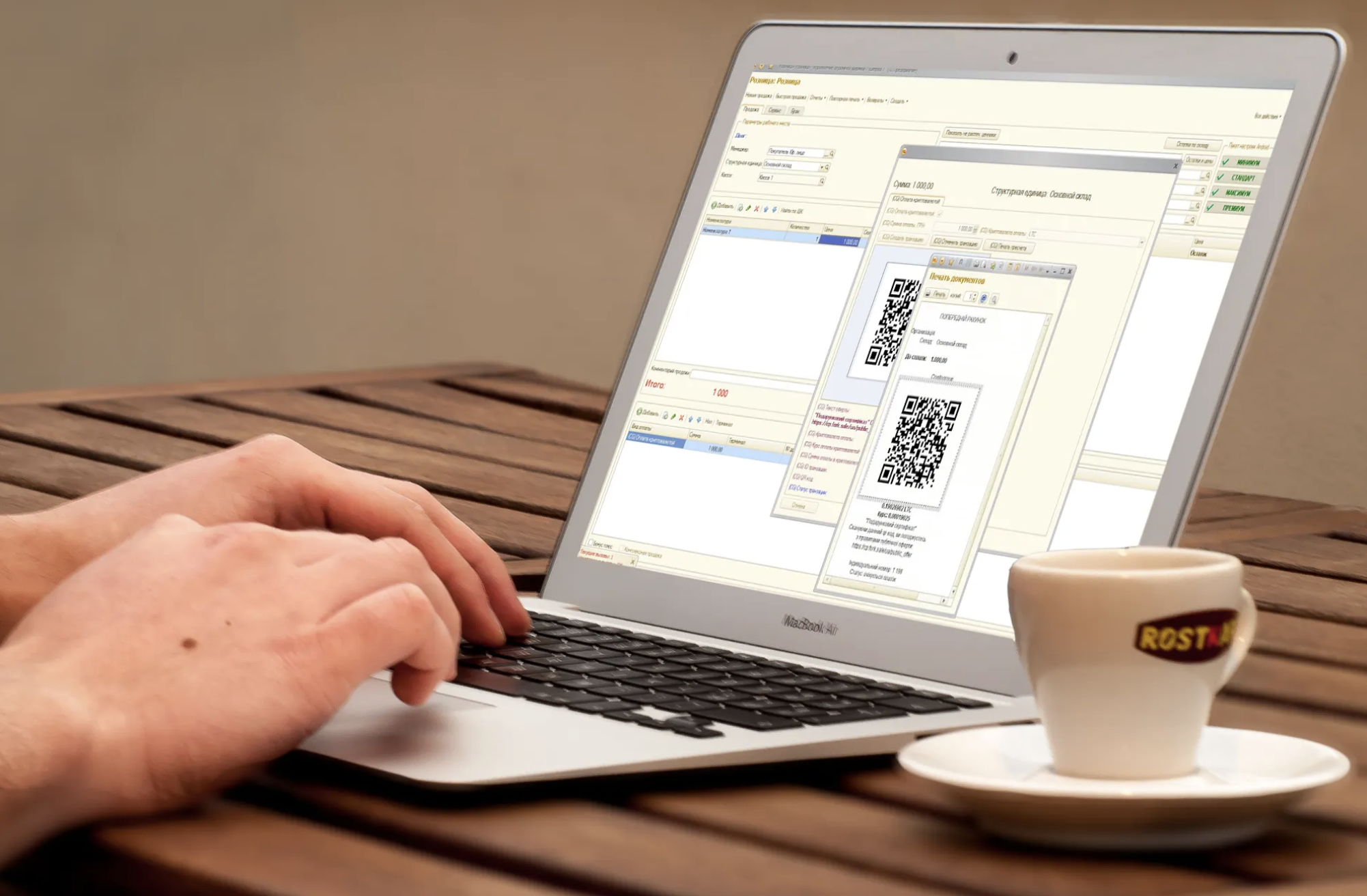 Paytomat Case Study